


An unfamiliar charge on your bank statement can be worrying, especially when it appears weeks after a trip. If you recently rented a vehicle from Enterprise, an ERACTOLL transaction may be connected to toll roads you used during your rental.
ERACTOLL is a bank statement descriptor commonly associated with toll billing for Enterprise Rent-A-Car. The charge may cover road tolls and an applicable TollPass service fee, which can make the total difference from the amount displayed on a toll sign.
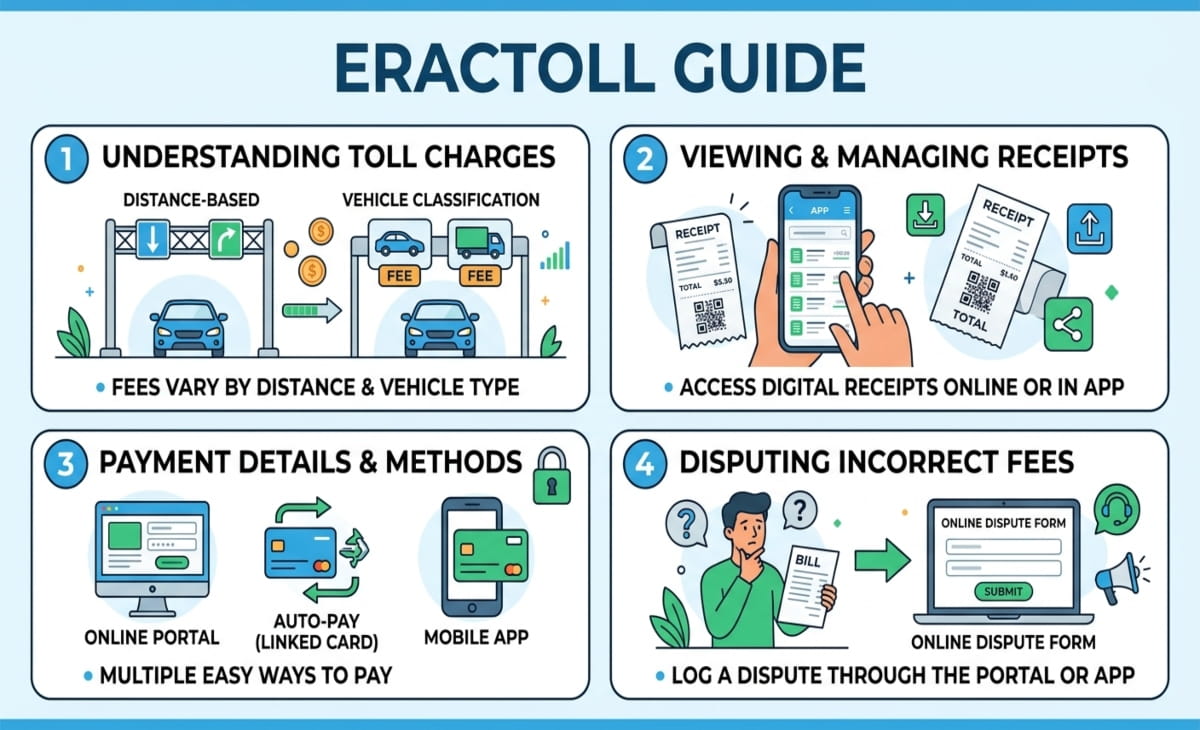
This Eractoll guide explains what the charge means, how Enterprise TollPass works, why the payment may arrive late, how to find a receipt, and what to do if you believe the amount is incorrect.
What Is ERACTOLL on a Bank Statement?
ERACTOLL is a transaction descriptor commonly associated with toll charges connected to an Enterprise Rent-A-Car rental.
The abbreviation ERAC refers to Enterprise Rent-A-Car, while the toll portion indicates that the payment is related to road toll billing.
This type of charge may appear after a rental vehicle travels through a toll road, bridge, tunnel, or electronic toll lane. Depending on the road system, the vehicle may be identified through its license plate or an electronic toll transponder. The toll information is then processed and passed to the relevant rental toll service.
The transaction may appear separately from the original rental payment. This can make it confusing if you have already returned the vehicle and assumed all rental expenses were settled.
However, the ERACTOLL label alone does not prove that a particular transaction is accurate. If the charge seems unfamiliar, compare it with your rental dates, travel route, rental agreement, and available toll receipts.
How Enterprise TollPass Works
Enterprise offers a TollPass service to help manage toll payments for eligible rental vehicles.
On roads that support electronic tolling, drivers may be able to pass through a toll point without stopping to pay cash. Depending on the road and payment arrangements, the toll may be recorded through an electronic transponder or the vehicle’s license plate.
If another accepted payment method has not been used, the toll information may be sent to Enterprise’s toll-processing provider. The resulting amount can then be charged to the payment method associated with the rental agreement.
This arrangement is particularly useful on roads that rely on cashless toll collection. However, it can also mean that a toll expense appears as a separate transaction after the rental payment has already been completed.
The precise billing process and available payment options may vary by location. Renters should review the terms that apply to their rental rather than assuming the same rules apply to every road or region.
What Does an ERACTOLL Charge Include?
An ERACTOLL transaction may include the actual road toll along with a TollPass convenience fee.
The total depends on the roads used, the applicable toll rates, the number of days on which tolls were incurred, and the service terms for the rental location.
Enterprise’s published U.S. TollPass terms have included a convenience fee of $4.95 per usage day in many covered areas, with a commonly listed rental-period maximum of $34.65, plus toll charges. These figures should be treated as reference amounts rather than guaranteed current prices for every rental.
Different locations and countries may have different fee structures. For example, the reference information lists Canadian TollPass pricing of $5.35 per day and a $35 maximum for the described service.
Before deciding whether an ERACTOLL charge is correct, check the terms that applied when you rented the vehicle. Current prices, regional rules, and service coverage may differ from previously published figures.
Why the Charge Can Be Higher Than the Toll Sign
Some renters expect the amount charged to their card to match the toll price displayed on the road. In practice, the final amount may be higher.
One reason is that toll authorities can apply different rates depending on the payment method. According to Enterprise’s described TollPass terms, tolls processed through the service may be billed at the applicable video toll rate, cash rate, or highest undiscounted rate.
These rates may be higher than the discounted prices available to drivers who have their own toll accounts or qualifying transponders.
A convenience fee can increase the total further. If a rental vehicle uses toll roads on multiple days, a daily service fee may apply on each toll usage day until the applicable maximum is reached.
For this reason, a larger-than-expected charge is not automatically evidence of an error. Review the itemized statement to determine whether the total includes several tolls, a service fee, or both.
Why ERACTOLL May Appear Weeks Later
A delayed ERACTOLL transaction is one reason renters may not immediately recognize the payment.
Toll authorities do not always send billing information to rental companies as soon as a vehicle passes through a toll point. The authority may first process transponder records, license plate images, and other road-use information before forwarding the results to the toll-processing service.
The reference information indicates that Enterprise toll charges commonly appear around four to six weeks after the trip, although the timing can vary.
Other toll or violation-related records may also take several weeks to reach the relevant service.
As a result, a transaction that appears long after a holiday, business trip, or weekend rental may still relate to a legitimate toll incurred during that journey.
If you see ERACTOLL on your statement, check rentals from the previous several weeks before assuming the transaction is fraudulent.
How to Find Your Toll Receipt
The most useful way to understand an ERACTOLL transaction is to obtain an itemized toll statement.
Enterprise directs renters to the Highway Toll Administration receipt system for relevant toll records. The available lookup process can use your last name and rental agreement or contract number.
If you do not have the agreement number, the reference information indicates that an alternative lookup may be available using your last name and limited digits from the card associated with the rental.
Once you locate the record, review the individual toll entries. The statement may help you identify the dates, locations, and amounts associated with the transaction.
Compare those details with the route you drove and the dates you had the rental vehicle.
An itemized statement is generally more useful than the short ERACTOLL label on your bank statement because it can help explain how the total was calculated.
For your security, use the official Enterprise or Highway Toll Administration website rather than entering personal or payment information into an unfamiliar receipt-lookup page.
How to Check Whether the Charge Is Correct
Before disputing an ERACTOLL transaction, compare it with the details of your rental.
Start by locating your Enterprise rental agreement. Confirm the rental period, vehicle information, payment method, and places you visited. Then obtain the relevant TollPass statement and examine each listed toll.
Pay attention to the following details:
- Dates: Check whether the tolls occurred during or in connection with your rental period.
- Locations: Confirm that the listed roads, bridges, or tunnels fit your journey.
- Duplicate entries: Look for tolls that appear to have been billed more than once.
- Service fees: Check whether the total includes a daily convenience fee or another disclosed charge.
- Other payment methods: Consider whether you already paid the toll through a personal transponder or an accepted alternative.
If the listed dates and locations match your trip, the charge may reflect normal toll processing.
If the statement contains unfamiliar locations, duplicate tolls, or amounts that do not match the applicable terms, save the rental agreement, toll statement, and any other relevant proof before contacting support.
Avoid judging the transaction by its total alone. Multiple tolls and service fees may be combined into one payment.
What If You Used Your Own Toll Transponder?
Some renters prefer to use a personal toll transponder or account, such as E-ZPass, FasTrak, or SunPass, rather than relying on a rental company’s toll service.
This may be possible in some areas, but the rules depend on the toll authority, the rental agreement, and the payment method accepted on the road.
Before using your own account, check whether the rental vehicle needs to be registered or linked to the account. Some toll systems require the vehicle’s license plate and the dates during which the rental vehicle will be used.
Enterprise also describes a personal transponder or toll account as an alternative to its TollPass service in certain regions.
If you believe both your personal toll account and Enterprise charged you for the same toll, compare the two statements. A personal toll receipt may help establish that the payment was already processed.
If you find a duplicate charge, contact the appropriate toll service with the dates, transaction details, and supporting documents.
How to Dispute an ERACTOLL Charge
If an ERACTOLL transaction appears incorrect, investigate it before initiating a bank dispute. TollPass support may be able to explain the charge, identify a duplicate, or review a possible billing error.
Keep your rental agreement, toll statement, card transaction details, and any personal toll-account receipts available.
Contact TollPass Support
Use the contact details published on the official Enterprise TollPass website. The reference information describes several support options, including telephone assistance, email, live chat, and an online contact form.
It lists 877-765-5201 as a TollPass assistance number. Because contact details can change, verify the number on the official service website before calling.
Explain which transaction you are questioning and why. Provide your rental agreement number and the relevant toll dates when requested.
If you submit documents online, use the official contact system and avoid sending your full card number, password, or other unnecessary sensitive information through ordinary email.
Ask for an explanation of the individual tolls and fees if the total does not match your expectations.
Provide Proof
Supporting documents can help the toll service investigate a disputed charge.
Useful evidence may include:
- Your Enterprise rental agreement.
- An itemized TollPass statement.
- A receipt showing that a toll was paid directly.
- A personal E-ZPass, FasTrak, SunPass, or other toll-account statement.
- Relevant transaction records or other evidence that explains why a toll appears incorrect.
The reference information indicates that the official TollPass contact process accepts supporting documents, including toll receipts and personal toll-tag statements.
Keep copies of your correspondence and any response from the support team.
If the issue remains unresolved and you have a reasonable basis to believe the transaction is incorrect, contact your card issuer to ask about its dispute process. Follow the issuer’s instructions and provide the evidence requested.
How to Avoid Surprise Toll Charges
A little preparation before renting a vehicle can reduce the chance of an unexpected ERACTOLL payment.
Before starting your trip, check whether your route includes cashless toll roads, express lanes, bridges, tunnels, or toll highways. These roads may have different payment rules from conventional toll booths.
Ask the Enterprise rental location how TollPass operates in the area where you will be driving. Fees, coverage, and alternative payment methods can vary by region.
If permitted, consider using your own transponder or registering the rental vehicle with an appropriate toll authority. Confirm the relevant rules before doing so to avoid accidentally creating duplicate charges.
Keep your rental agreement after returning the vehicle, ideally for several weeks. A later toll transaction may be easier to recognize if you can quickly check the original rental dates and payment details.
You should also retain any receipts or screenshots for tolls you paid directly. These records can help you confirm whether a later transaction is valid.
Is ERACTOLL a Scam or Fraud?
Seeing ERACTOLL on a bank statement does not automatically mean your card has been used fraudulently. The descriptor is commonly associated with toll processing connected to Enterprise Rent-A-Car rentals.
However, an unfamiliar transaction should still be checked. If nobody who uses the card rented a vehicle from Enterprise, or the toll statement lists roads you never visited, investigate the payment rather than ignoring it.
First, check the transaction details and any recent rental agreements. If the payment appears connected to a rental, request the relevant toll statement and compare the listed entries with your records.
Use contact information from Enterprise or the official TollPass website. Avoid relying on telephone numbers or links posted by unknown accounts on social media, as they may not lead to legitimate support services.
If the transaction cannot be explained or appears unauthorized, contact your bank or card issuer through its official channels. Ask about the steps available to investigate or dispute the charge.
The key is to verify the transaction before deciding whether it is a legitimate toll payment, a billing error, or potential fraud.
Final Words
An unfamiliar toll payment can be unsettling, particularly when it appears several weeks after you have returned a rental vehicle. In many cases, ERACTOLL is simply a statement descriptor associated with tolls and applicable service fees from an Enterprise Rent-A-Car rental.
The easiest way to investigate the charge is to locate your rental agreement, obtain the official toll statement, and compare its dates, locations, and amounts with your trip.
If the details do not match, contact TollPass support and provide relevant evidence. If the issue remains unresolved or the transaction appears unauthorized, ask your card issuer about its dispute process.
Understanding how rental toll billing works can make delayed transactions easier to identify. It can also help you compare payment options and prepare for toll expenses before your next rental.
